Accounting Cycle
Step 5: Worksheet
The worksheet is an informal business paper used to organize and summarize data about the financial condition of a business. The worksheet also helps a business prepare financial statements as all the information is in one place and usually fits on one page.
There are three sections to complete on the worksheet.
Trial Balance: This section lists all of the accounts from the ledger along with the balances. Debits must equal credits in this section before you can continue. Remember to double-rule the columns to indicate that debits equal credits and that you are finished with these two columns.
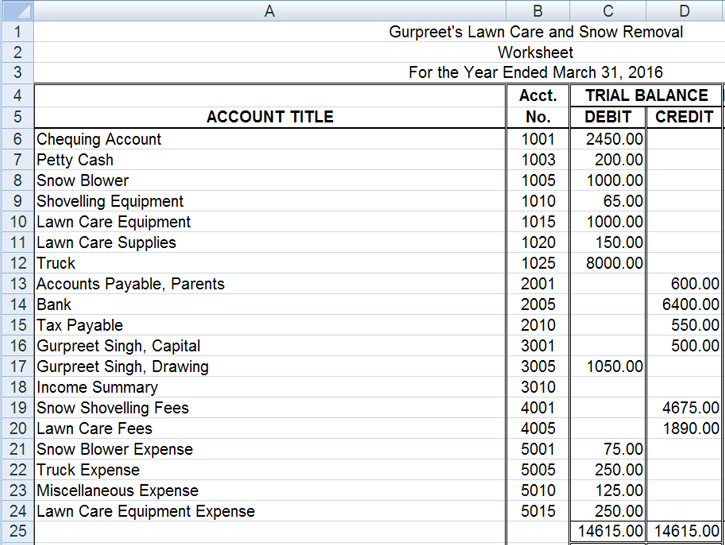
Microsoft product screen shot(s) reprinted with permission from Microsoft Corporation.
Income Statement: The balances of all revenue and expense accounts are copied into this section of the worksheet.
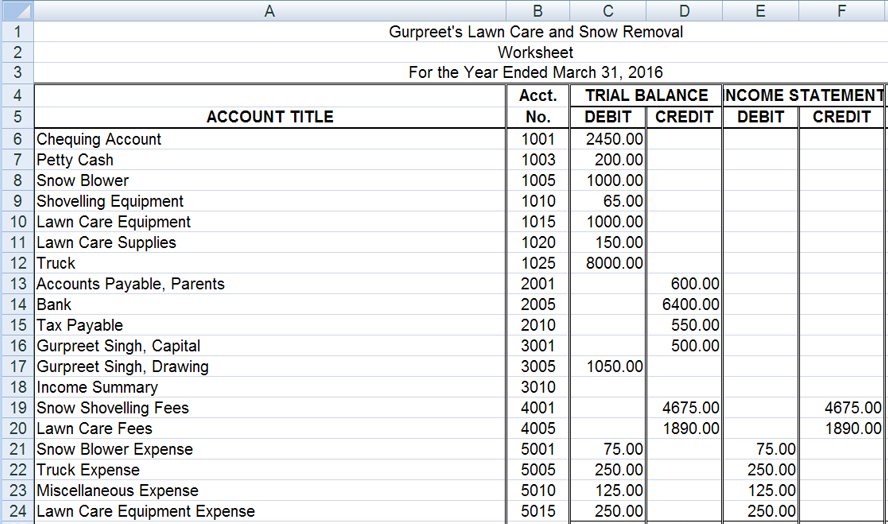
Microsoft product screen shot(s) reprinted with permission from Microsoft Corporation.
Balance Sheet: The balances of all assets, liabilities, capital, and drawing are copied into this section of the worksheet.
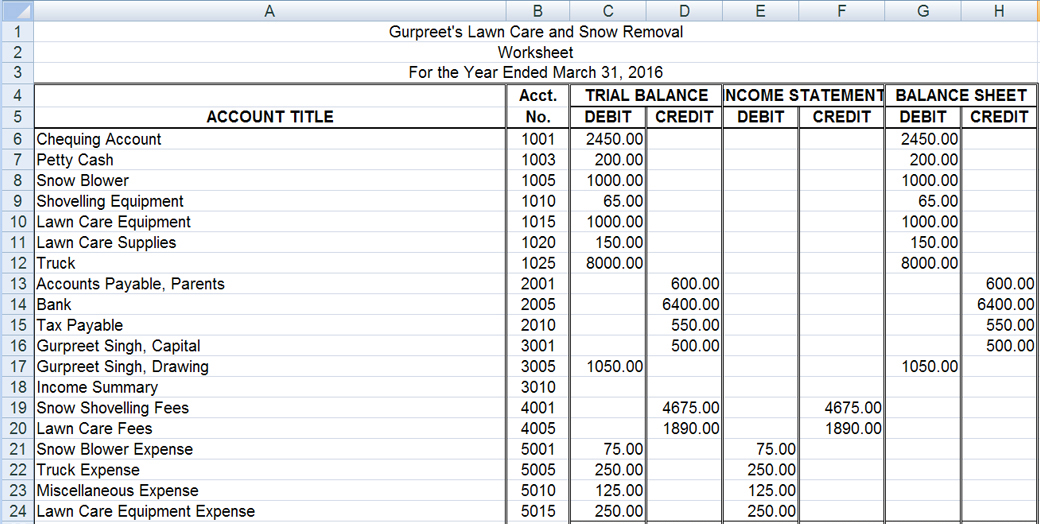
Microsoft product screen shot(s) reprinted with permission from Microsoft Corporation.
Totaling and Ruling the Worksheet
Total the four remaining columns in the worksheet (the Income Statement columns and the Balance Sheet columns). Notice that debits do not equal credits in these columns. If you subtract the difference between the two income statement columns, you should calculate the same number as when you subtract the two balance sheet columns.
Net Income: If total revenue is greater than total expenses, the company made a profit or had a net income. This amount will be placed under the total expenses in the debit column of the income statement. The words net income would be placed, as shown below, on the same row as this amount in the Account Title column. The difference between the two Balance Sheet columns will be the same amount and will be placed under the smallest total, in the credit column of the balance sheet.
Net Loss: If total expenses are greater than total revenue, the company had a net loss. This amount will be placed under the total revenue in the credit column of the income statement. The words net loss would be placed on the same row as this amount in the Account Title column. The difference between the two Balance Sheet columns will be the same amount and will be placed under the smallest total, in the debit column of the balance sheet.
A total line will be below all of these totals and a double-line below to indicate that all debits equal credits and the worksheet is complete.
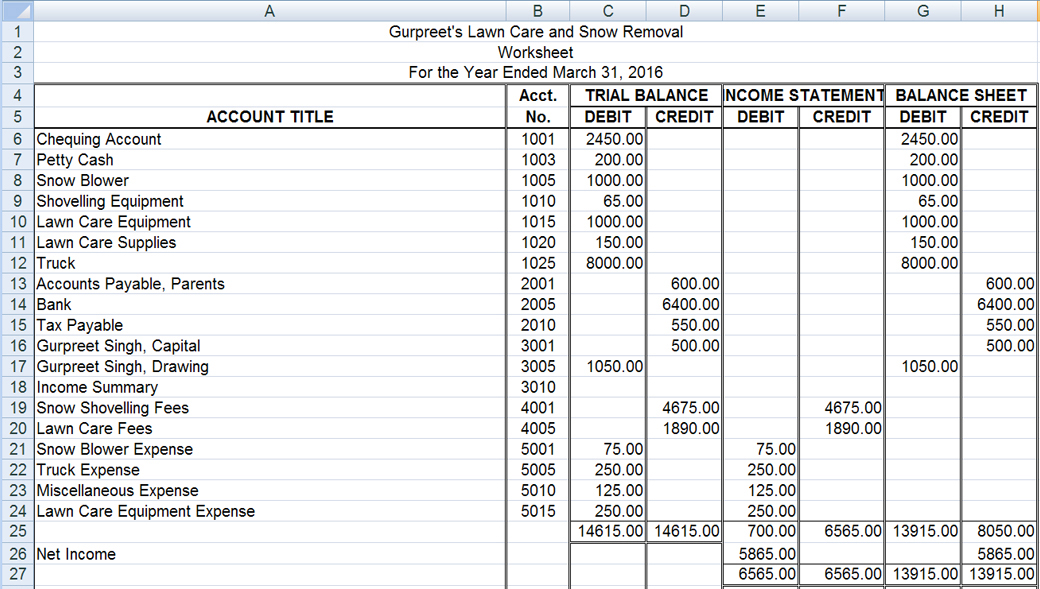
Microsoft product screen shot(s) reprinted with permission from Microsoft Corporation.
